 Motionflare
Changelog 05: Motion Engine 2.0, visual style packs, image upload, and a full Video From Any Topic

Joey
Founder / CEO
July 31, 2026
6 min read
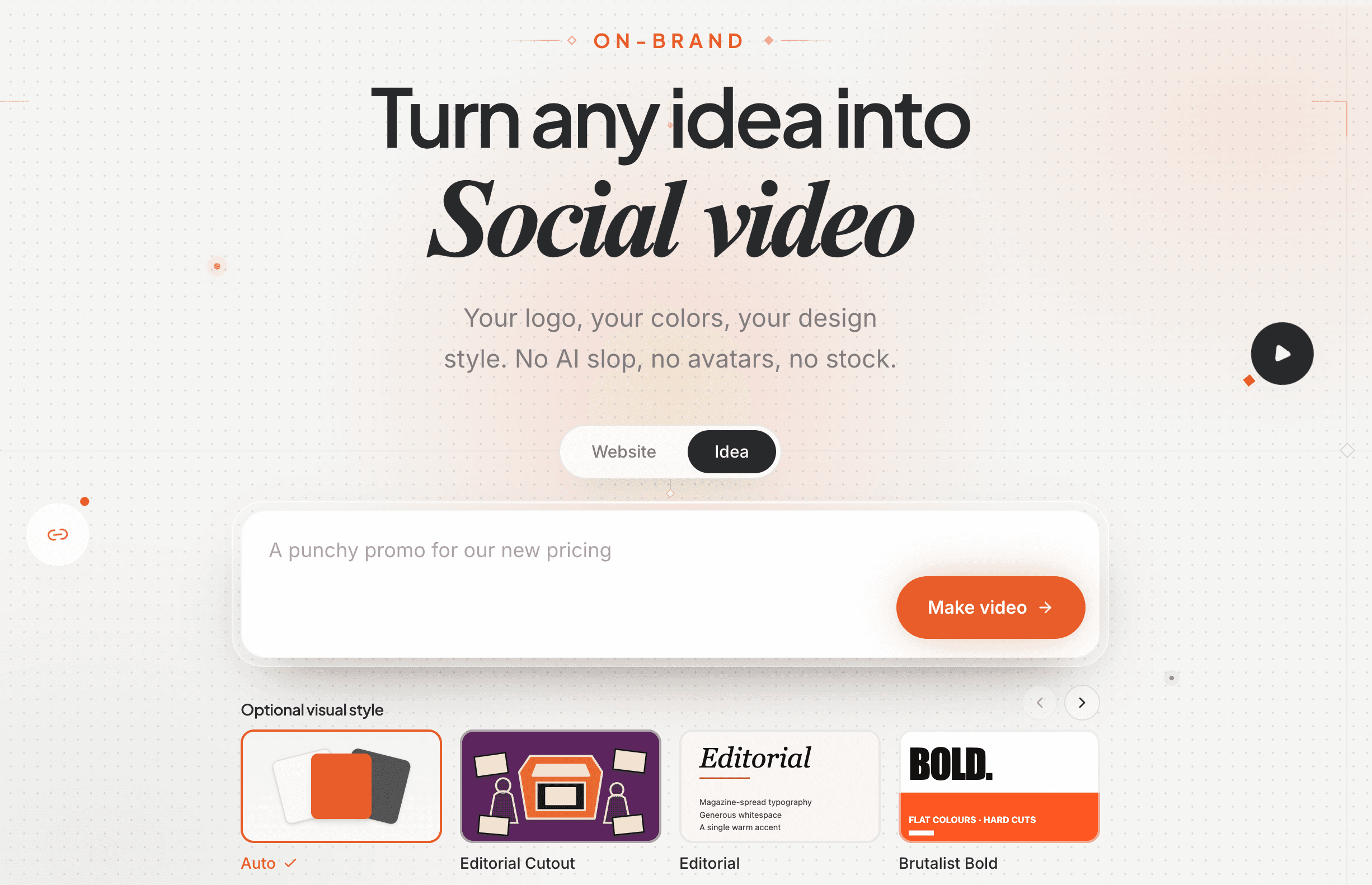
Motionflare started as one thing: paste a URL, get an on-brand video.
This release first rebuilds how every one of those videos moves. Motion Engine 2.0 now runs underneath every style. Image uploads and a more capable Idea mode also widen what you can make and where you can start.
1. Motion Engine 2.0
Motion Engine 2.0 is a ground-up rewrite of the motion system underneath every Motionflare style.
Its library now holds more than 160 motion recipes: typography reveals, camera moves, product UI choreography, object movement, data animation, and the handoff from one scene to the next. For every scene, Motionflare reads what the beat needs to say, chooses a compatible recipe, and adapts it to the video's style and pacing.
That means a style is no longer one set of moves played on repeat. Two videos can share the same visual pack without entering, emphasizing, and transitioning in the same way. The agent directs the shot and the motion engine executes it frame by frame, giving each video more range without making the result less reliable.
2. A video from a topic, with no website
Idea mode used to be the shorter path. It is now the more powerful one.
Type what the video is about and the agent goes and does the work. It searches the web for grounding material, pulls real facts and real imagery from what it finds, drafts the story, plans every scene, writes and voices the narration, and builds the finished video out of a single sentence. Web search runs on Pro and Max.
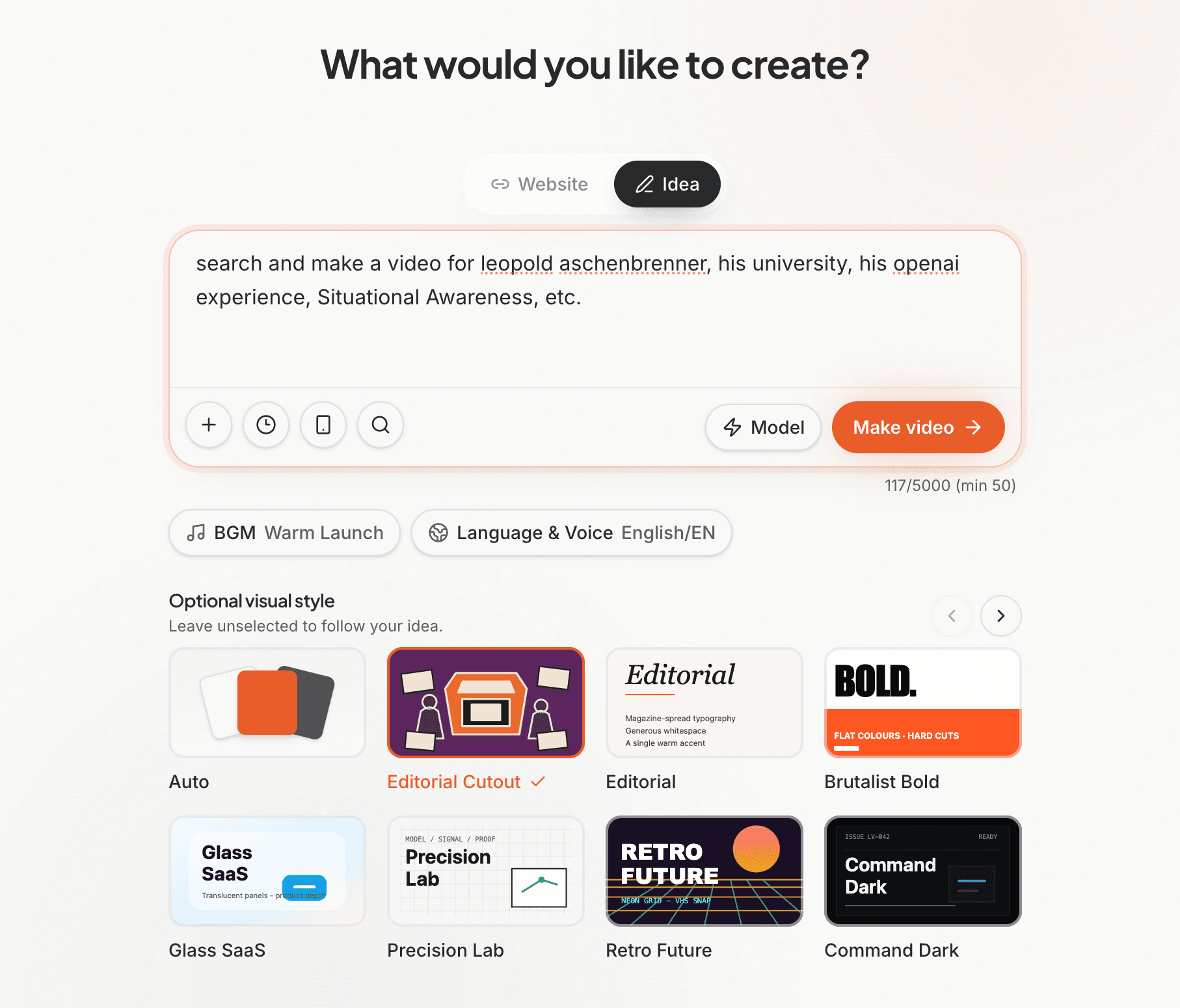
That changes what Motionflare is for. A video no longer has to be about a product with a landing page. It can be an explainer about your category, a concept piece, an announcement for something that is not public yet, a recruiting film, a piece of internal storytelling, or a short essay on a subject you care about.
Two guardrails come with it. Your prompt always wins over what the agent finds, and searched material is treated as unverified external context rather than restated as your brand's own claims. And if you put a link in your prompt, that page is fetched and crawled properly, the same way a website project is.
3. Visible style packs
The look is no longer something you find out about after generating. The style picker shows a preview of every pack before anything is made, so you choose the film you want up front.
There are ten packs now, three of them new in this release: Vox, an editorial paper collage; Ink Story, hand-drawn and narrative; and Whiteboard, the explainer classic done properly.
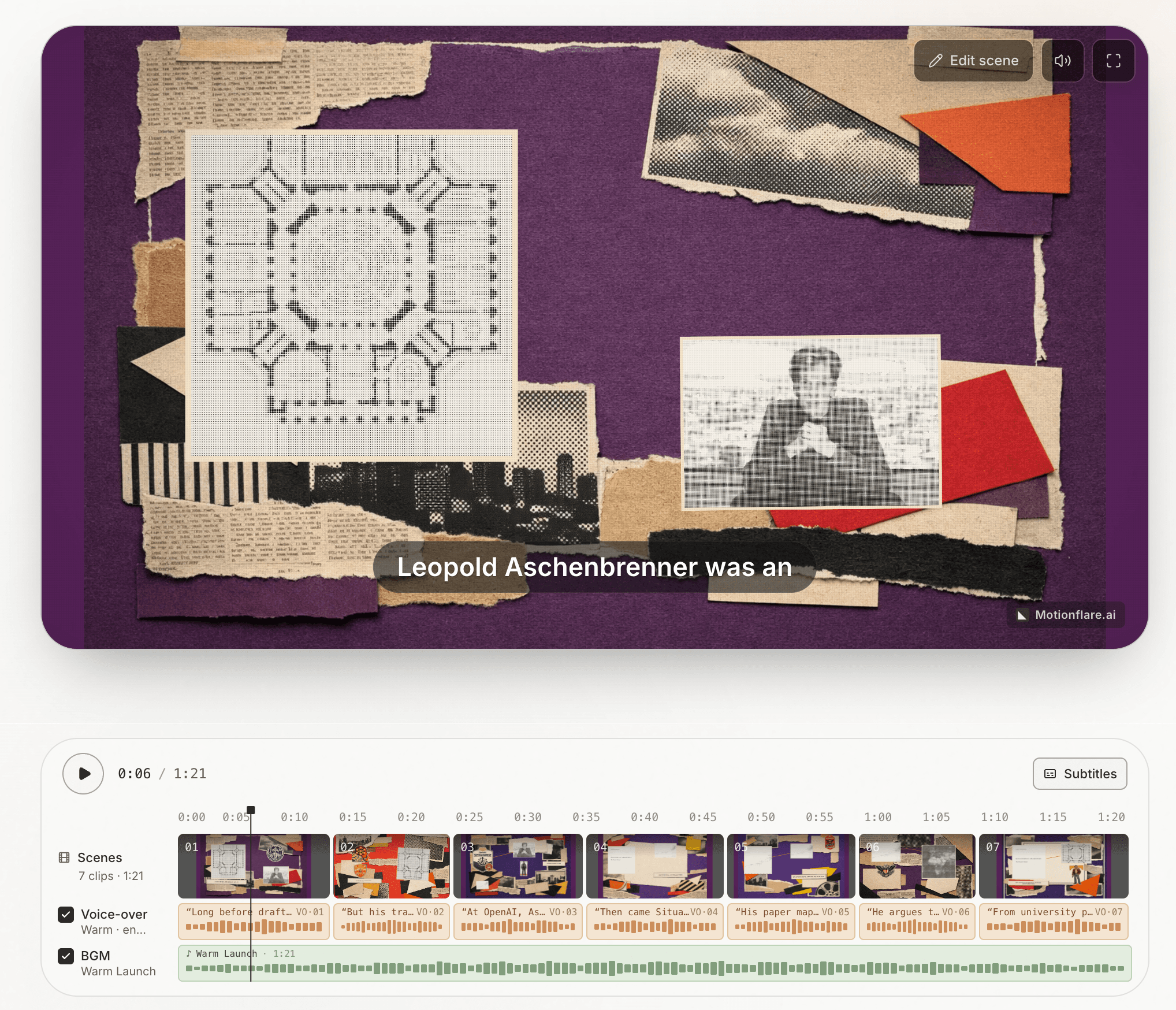
Leave it on Auto and Motionflare picks the pack that suits your subject.
4. Inside Vox: how the collage is actually made
Vox is the new editorial paper-collage style, and it is the clearest picture of what "starting from a topic" now means. Nothing on screen is stock. Every piece of paper in a Vox video is generated for that scene, then assembled.
The whole pipeline, in order:
The print finish is decided once. Before any scene is built, an art director pass reads the entire script and locks what the video shares: one primary paper field and one contrast field, drawn from five paper colours, with the contrast reserved for the single biggest turn in the story. It also writes one sentence of print instruction that matches a visual tradition to your subject, whether that is Swiss modernism, a punk zine, Constructivism, a WPA poster, 1970s editorial, Chinese woodblock, or newsprint. That sentence is appended verbatim to every image prompt in the video, which is what keeps dozens of separately generated pieces looking like they came off the same press.
Every scene plans its own pieces. Each scene decides on two to five cutouts, two to three in vertical, and for each one: what it is, why the story needs it, how it relates to the piece beside it, the exact word in the narration that reveals it, and how it should move. Nothing is shared between scenes, so no element ever appears twice in the same video.
The pieces are generated, not pulled from a library. Each cutout is generated as a transparent-background image at the exact shape of the slot it will land in, so a tall figure is never shrunk into a sticker inside a wide slot. The paper plate behind it is generated too. Every cutout is then checked for a real alpha channel, and one that comes back as a solid rectangle is thrown away rather than pasted on as a box.
Real photos are printed in where they exist. The subjects a scene names are matched against your brand gallery and your uploads. A match is rendered as a halftone photo card, printed into the collage rather than dropped on top of it. A person with no matching photo becomes an abstract symbol instead of a near-miss lookalike of someone real.
Then it is assembled and moved. Every piece enters with a chosen gesture: it descends, ascends, converges toward the centre, settles, or pushes in. It can be anchored to another piece, so something lands on top of the thing it belongs on. After it arrives it can carry up to three further beats, and up to four connector strokes can be drawn between pieces to turn a scene into a diagram. A three-plane camera moves through the layers for depth. Each piece enters with a couple of degrees of tilt that unwinds as it lands, because paper gets placed, it does not slide in flat. Scenes then hand off to one another on paper rather than cutting.
And the story has a shape. Vox scripts are written to four beats: open on a concrete everyday moment, name what most people believe and break it, reveal the real mechanism one step at a time, then return to the moment you started on. When the brief has no genuine misconception to break, the same four beats run as tension and resolution instead, because inventing a belief nobody holds is inventing a fact.
Vox scenes carry a surcharge of 1 credit each, down from 2.
5. Dark mode
Motionflare now has a proper dark mode across the whole app, marketing pages included, on a warm charcoal palette rather than flat black.
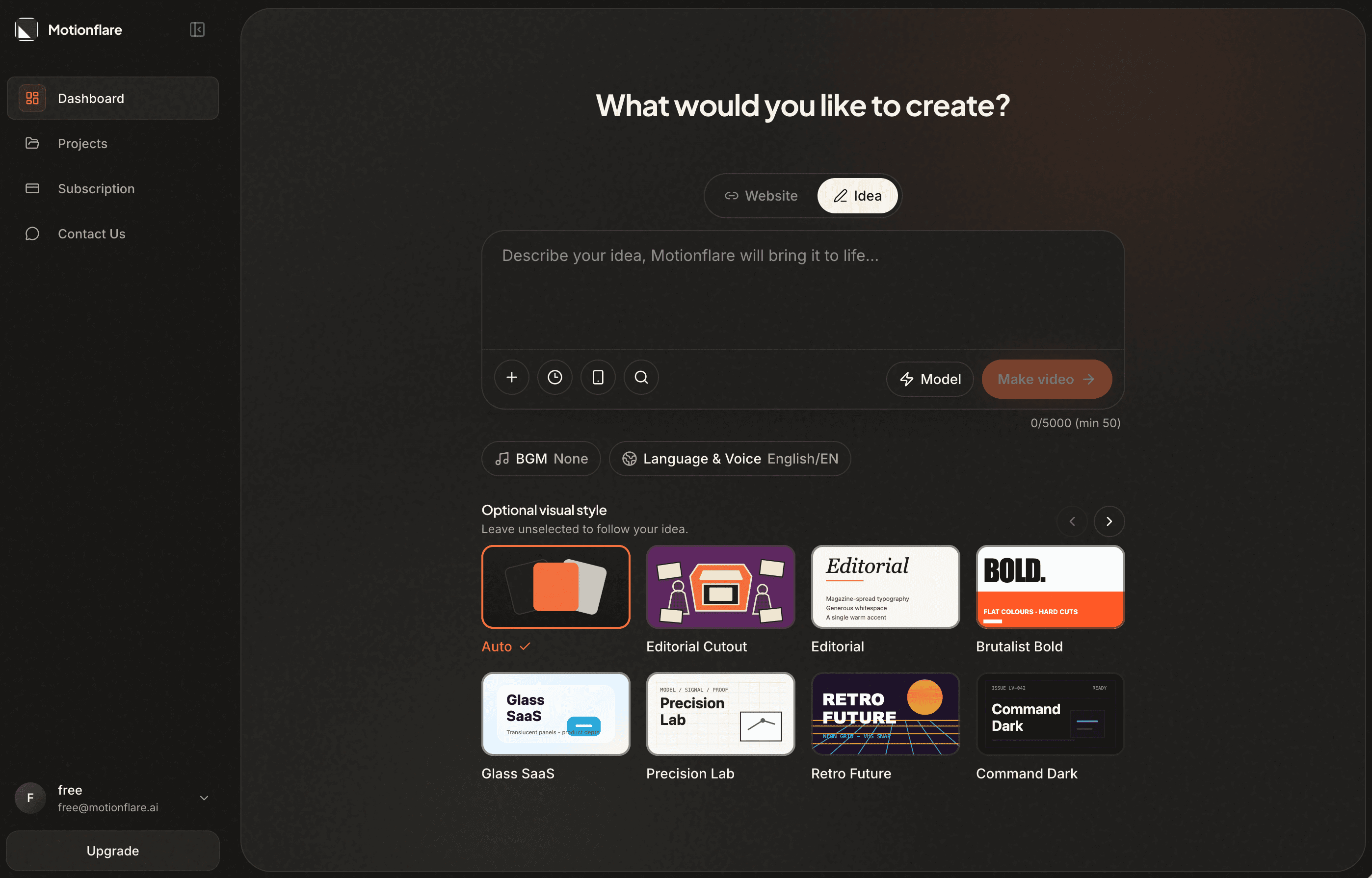
Pick light, dark, or system from the switcher in the navigation bar.
6. Bring your own images
Motionflare has always read your website. Now it can also read what you give it directly.
Attach up to 10 images when you create a project, or drop them into the chat at any point afterwards. Every upload is analysed on arrival, so the assistant can see it, talk about it, and place it in a scene: a product screenshot, a dashboard, a team photo, a piece of packaging, a chart you already made.
Uploads have two jobs. Some are content, and appear on screen. Others are style references, which shape the look of the video without ever being shown. You choose which is which, and the assistant respects it.
Your uploads also survive a re-scrape of the source website, so refreshing the brand material never quietly drops them. Images open in a lightbox anywhere they appear, in the gallery and in chat.
7. The model lineup
GPT-5.6 Luna joins at the efficiency tier, and it is tuned for quality rather than speed: pro reasoning mode at the highest effort setting, at 1× credits per scene.
- Efficiency: GPT-5.6 Luna, 1× credits per scene
- Advanced: Grok 4.5 and Gemini 3.6 Flash at 2×, GPT-5.6 Terra at 3×
- Flagship: GPT-5.6 Sol at 5×
Choosing a model by hand stays a Pro and Max feature. On the free plan, Auto picks for you, and resolves to Luna.
Also in this release
- Real recorded sound effects in place of synthesized ones, cut to each scene's beats, in four packs: Soft UI, Punchy, Cinematic, and Tech
- New projects start with a background track chosen for them rather than silence
- Paste a finished shot list into Idea mode and it is shot line for line, with your narration kept word for word instead of rewritten
- State the aspect ratio, length, scene count, or language in plain prose and Idea mode picks it up from the prompt
- 90-second videos in Idea mode, on Pro and Max
- Change the aspect ratio after preview and regenerate from there
- 1× to 1.5× playback speed in the editor
- Project Settings split into Video and Brand tabs
- Edit the voice-over script directly, with a warning when the new length drifts from the original
- Rewrite the voice-over for every scene in one instruction from chat
- Russian, the eleventh interface language
- One-time export: $15 for a single project at 1080p or 4K, no watermark, no subscription
Everything here is live now.
Create your next video at Motionflare.ai, and tell us what you want to see in Changelog 06.