 Motionflare
Changelog 06: GPT-6 Astra, a music library, and 90-second videos

Joey
Founder / CEO
September 10, 2026
3 min read
Changelog 05 rebuilt how a Motionflare video moves. This one is about what it is made of: which model writes it, what it sounds like, how long it runs, and how it reads.
1. A new model lineup
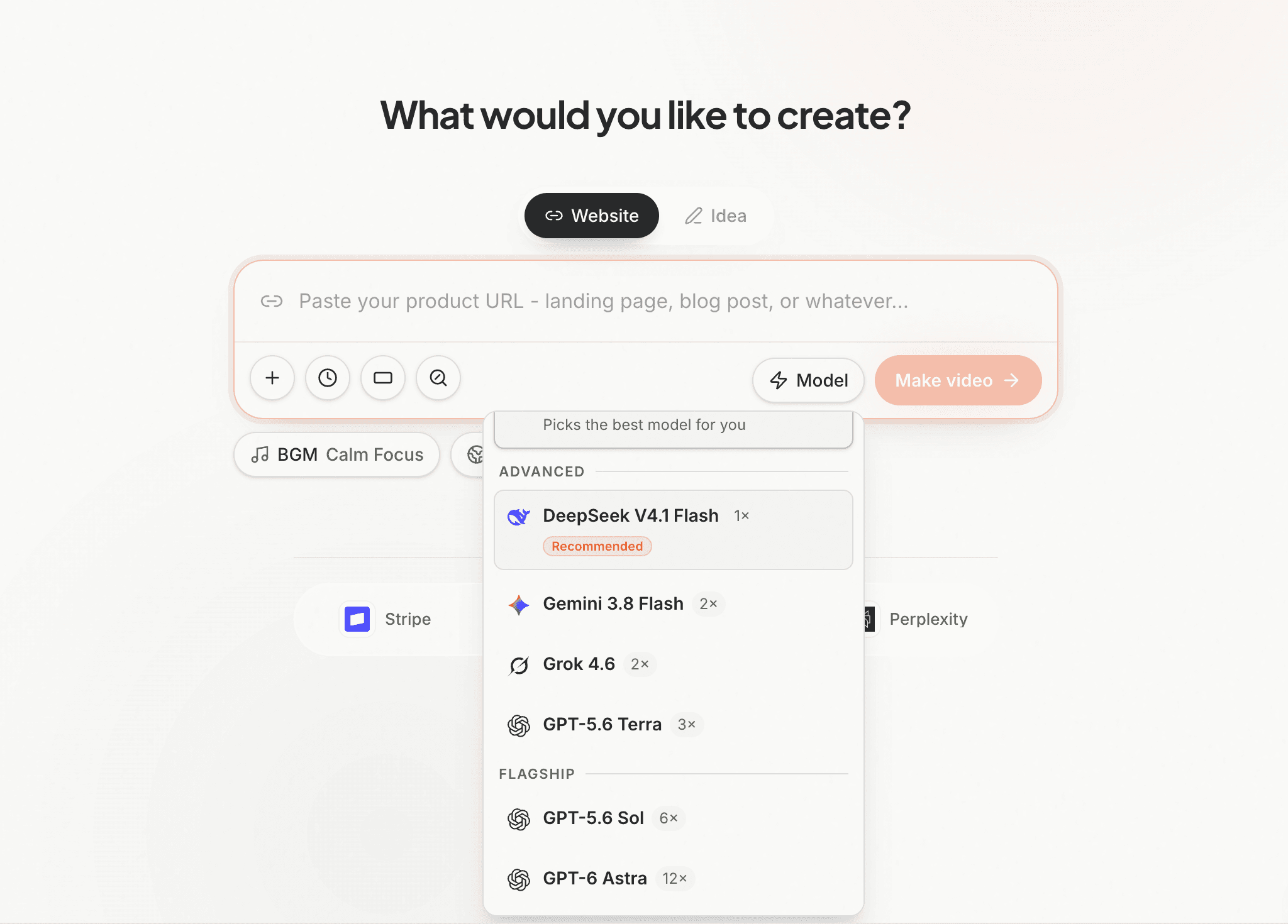
- Advanced: DeepSeek V4.1 Flash at 1× credits per scene, Gemini 3.8 Flash and Grok 4.6 at 2×, GPT-5.6 Terra at 3×
- Flagship: GPT-5.6 Sol at 6×, GPT-6 Astra at 12×
DeepSeek V4.1 Flash is the one to look at. It sits in the Advanced tier at 1×, the lowest price on the list, and it reads your screenshots, your logo and your uploads directly rather than from a description of them.
It is what Auto runs on every plan now, so the same video costs half what it did last month, without changing a setting. If you have been picking a model by hand to save credits, you can stop.
At the top, GPT-6 Astra is new and it is the most capable model we offer. Sol drops from 7× to 6×.
Picking a model by hand stays a Pro and Max feature.
2. A music library worth browsing
The music picker shipped with six tracks, so every Motionflare video was drawing from the same six.
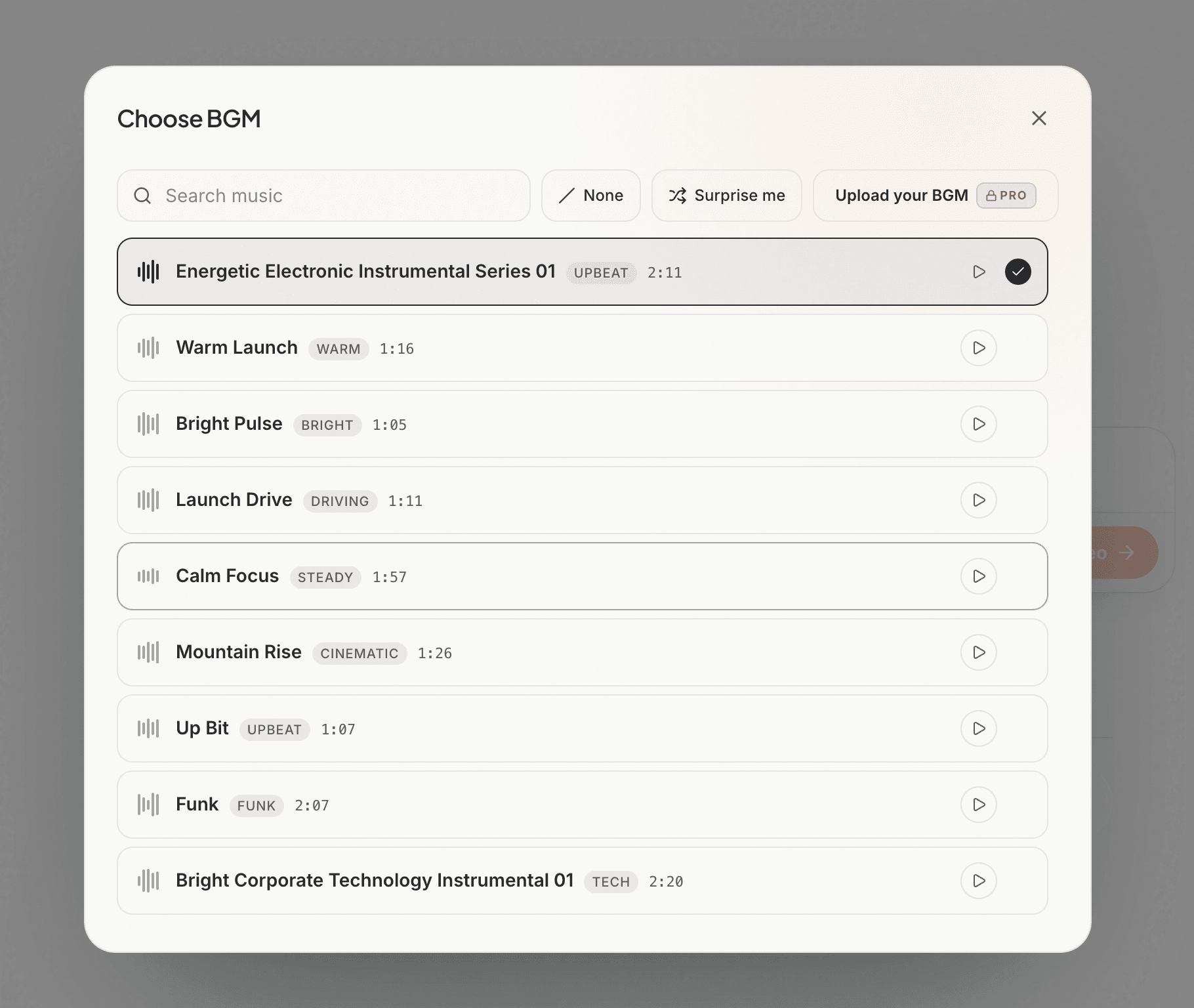
It now holds 46, searchable, each with its mood and length. New projects still open with a track chosen for them rather than silence, and on website projects the cuts land on the beat.
Pro and Max can upload their own.
3. 90-second videos from a website, and a 15-second tier
90 seconds used to exist only in Idea mode, so a video built from a URL topped out at 60 no matter how much the site had to say.
All five lengths now work in both: Auto, 15, 30, 60 and 90 seconds. 90 stays on Pro and Max.
15 seconds is new, for a video with one thing to say.
And Rebuild starts the whole video over from your brand material and your uploads, without re-reading the site. Use it when the film needs a different take, not a different scene.
4. Captions with a style of their own
Captions used to be one bar of text, the same in every video.
Each style pack now has its own caption style, drawn to match the film it sits in. Captions fill word by word with the voice, and take their colour from the frame behind them, so they stay readable over a dark shot and a light one in the same video.
You can also turn them off in one sentence.
Plans and pricing
- Max is $99/month for 500 credits.
- Export costs 2 credits at 1080p and 3 at 4K, down from 3 and 8.
- New free accounts get 10 credits, enough for a complete video and a revision. A free project runs 20 seconds.
- The $15 one-time export is now on the pricing page: one project, exported once at 1080p or 4K, no watermark, no subscription.
Also in this release
- Narration, music, sound effects and captions are each yours to switch off, in one sentence, at any point, without regenerating the video
- Ask for a video with no voiceover and you get one
- Change the narrator's voice from chat
- Over 40 new motion recipes, and a video now opens and closes on shots built for the job
- Several edits asked for in one message are charged once, not once each
- A revision that changes nothing is not charged at all
- The assistant can tell you what a change costs before it runs
Everything here is live now.
Create your next video at Motionflare.ai, and tell us what you want to see in Changelog 07.