 Motionflare
Introducing Motionflare Film Mode: An AI Commercial Generator for TV, YouTube and X Ads

Joey
Founder / CEO
October 9, 2026
18 min read
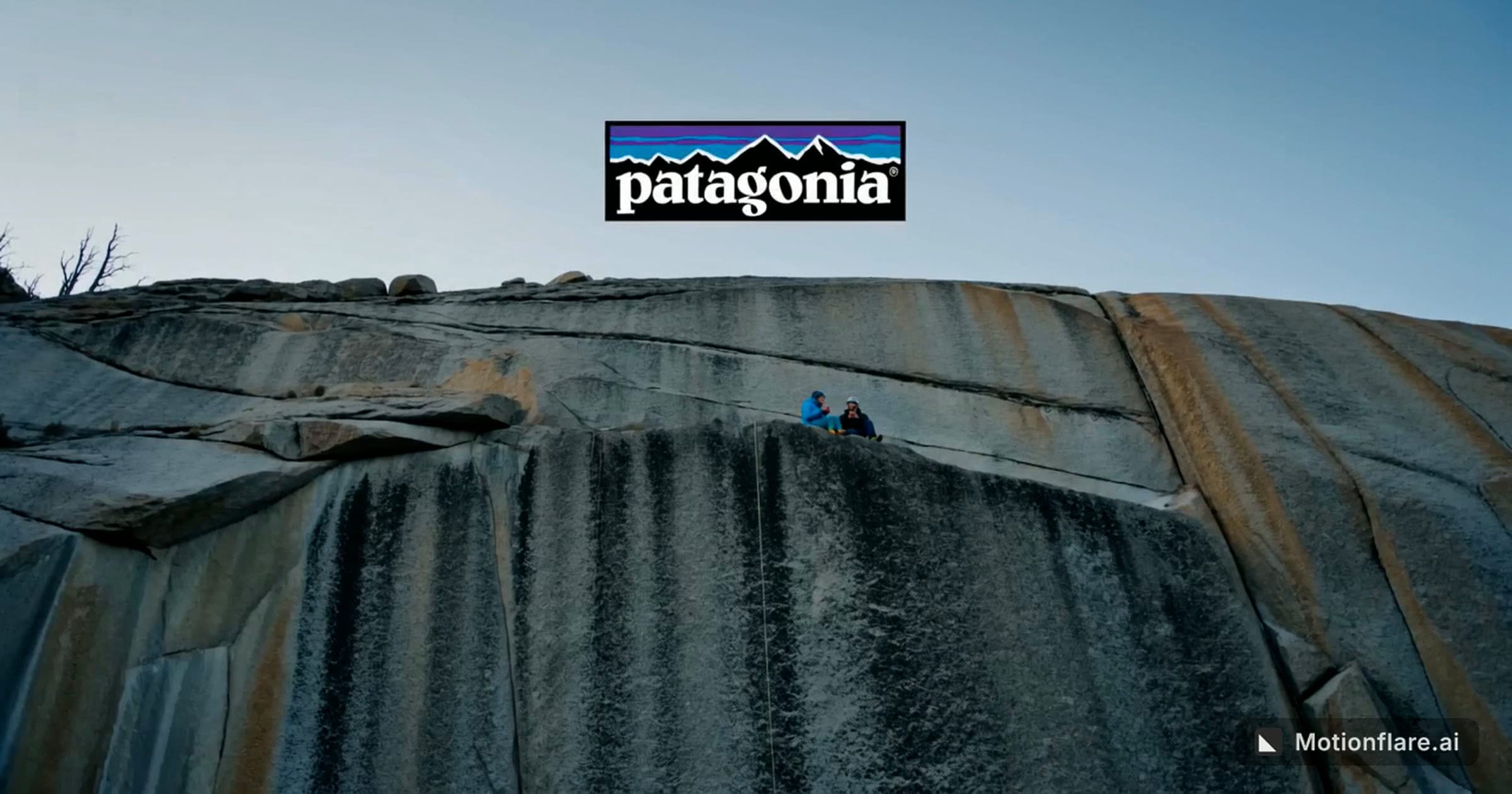
Short answer: Motionflare Film mode is a new way to make video in Motionflare, and what it makes is live-action commercials. Give it your website or a one-line idea. It reads your brand, writes the brief and renders a finished ad: believable people in a real place, shot like a TV spot, with voiceover and sound effects rendered along with the picture and music mixed underneath. Films run 5 to 45 seconds, in 16:9 or 9:16, at up to 4K. Film mode opened to every Motionflare account on October 9, 2026, and you can preview a 10-second film for free. Every model, price and limit is on the AI commercial generator page.
We made this one from patagonia.com. Nobody wrote a script, shot any footage or opened an editor.
Why we built Film mode
Until now Motionflare made one kind of video. Paste a URL and Motion turns your product into motion graphics: your interface, your type and your colours, animated. That works when the product is the proof, which covers most launch videos, feature demos and explainers.
Plenty of advertising isn't like that. A TV spot, a YouTube pre-roll or a brand ad on X is usually selling a moment. Someone is using the thing somewhere, and you can see why it matters to them. You need people and places for that, and until this year you needed a shoot.
This year video models got good enough to hold a believable person in a believable room, with sound, for fifteen seconds at a time. Advertisers moved quickly: in IAB's 2026 video ad report, nearly two in three ad buyers said they already use generative AI for video creative. A model still doesn't write the ad, though. Ask a raw generator for a commercial and you get a clip. The brief, the shots, the voiceover, the music, the logo and the edit are still on you. Film mode does that missing half.
Film mode or Motion?
Both start from a URL or a prompt, and they make very different videos.
| Motion | Film mode | |
|---|---|---|
| What is on screen | Your product UI, kinetic type, brand colours | People, places and objects, shot like live action |
| Best for | Launches, feature demos, explainers | TV and YouTube spots, social ads, brand stories |
| Length | 10 to 90 seconds | 5 to 45 seconds |
| Aspect ratio | 16:9 or 9:16 | 16:9 or 9:16 |
| Resolution | 1080p or 4K export | 480p to 4K, depending on the model |
| On-screen text | Typeset, exact at any size | Generated with the picture; keep it short |
| Changing it | Chat rewrites the part you name | Chat or a settings change re-renders the whole film |
A rough rule: if the ad needs your dashboard on screen, use Motion. If it needs a kitchen at 7am, a runner on a wet street or a founder in a workshop, use Film mode. The AI video ad generator page covers both kinds of ad side by side.
What you can make with Film mode
Here's where a film can run, with each platform's own specs as of October 2026:
| Where it runs | Platform spec | Aspect | Film settings that fit |
|---|---|---|---|
| TV and connected TV | 15 or 30 seconds | 16:9 | 15 or 30 seconds, 2K or 4K |
| YouTube bumper ad | 6 seconds, not skippable | 16:9 | 6 seconds |
| YouTube skippable in-stream | Any length, skippable after 5 seconds | 16:9 | 15 to 30 seconds, hook first |
| YouTube non-skippable in-stream | 15 to 60 seconds, by campaign type | 16:9 | 15 seconds |
| YouTube Shorts ad | Under 60 seconds recommended | 9:16 | 10 to 15 seconds |
| X video ad | 15 seconds or less recommended, up to 2:20 | 16:9 or 9:16 | 10 to 15 seconds |
| TikTok in-feed ad | Up to 10 minutes | 9:16 | 15 to 30 seconds |
| Instagram Reels ad | Up to 15 minutes | 9:16 | 10 to 15 seconds |
| Homepage hero or launch film | Your call | 16:9 | 20 to 45 seconds |
TV and connected-TV commercials
The 15- or 30-second landscape spot is the classic TVC, and it’s the format Film mode was built for: one real place, one light, a camera that stays with the action and a voiceover that lands on your logo. A prompt can be as short as this:
30-second TV commercial for a neighbourhood bakery opening its second shop. Early morning, flour in the air, the baker turns the sign to Open. Warm, unhurried voiceover. End on the logo.
Films come out as 24fps MP4s, which streaming and connected-TV ad platforms accept as they are. Broadcast stations each publish their own delivery specs for frame rate, loudness and slates, so if you've bought a linear TV slot, have your post house or the station's traffic team conform the file first.
YouTube ads
YouTube gives you four video slots to plan for. Bumpers are 6 seconds and can't be skipped. Skippable in-stream ads can be any length, and viewers can skip after 5 seconds. Non-skippable in-stream ads run 15 to 60 seconds, depending on the campaign type. Shorts ads are vertical, and Google recommends keeping them under a minute. One URL can give you all four.
15-second YouTube ad for a note-taking app. A product manager buried in sticky notes, then one clean screen of notes on a laptop. Hook in the first two seconds. Calm, confident narration.
In a skippable slot, the first five seconds are the only part everyone sees, so spend them on the hook.
X (Twitter) video ads
X recommends keeping video ads to 15 seconds or less, though it accepts up to 2 minutes 20 seconds. It takes 16:9, 9:16 and a few other shapes, prefers 9:16 for vertical video ads, and loops anything under a minute. That loop is worth designing for: a 10- to 15-second film that ends on the logo and cuts straight back to its first shot plays well on repeat.
10-second vertical ad for a running shoe launch. A runner ties her laces at a crosswalk in the rain, the light changes, she goes. No narration, just street sound and a beat drop on the logo.
TikTok, Instagram Reels and YouTube Shorts ads
For vertical feeds, set the aspect to 9:16 and keep the film to 10 or 15 seconds. Film mode writes for the frame it's given, so a vertical film gets tighter framing, with the action kept in the middle.
The platforms allow far longer. TikTok in-feed ads can run up to 10 minutes, though TikTok's own tips (from its 2021 data) suggest 21 to 34 seconds, and Reels ads can run up to 15 minutes. Meta also asks you to keep the top 14% and bottom 35% of the frame clear of text. A film carries very little on-screen text, so that's rarely a problem.
Brand films for your homepage and launches
At 20 to 45 seconds, a film can open your homepage, announce a launch or start a pitch. Point it at your own site and it writes from your positioning, your logo and your imagery.
Other places a short film pays off
- Crowdfunding: the 30-second "why this exists" film at the top of a Kickstarter or Indiegogo page.
- Hiring: a day in the studio, the warehouse or the clinic, for your careers page and LinkedIn.
- Events: a looping 16:9 film for the booth screen, plus a 9:16 cut to promote your talk.
- Local businesses: the gym, restaurant or dental practice that could never budget a shoot can run a real video ad now.
- App teasers: sell the feeling before you show the interface, then follow up with a Motion demo.
- In-store screens: a loop with no voice, just music under the picture.
How to make a commercial with AI in Film mode
- Give it a starting point. Open Film mode and paste a website URL; it reads the page for your brand, logo and imagery. Or switch to Prompt and describe the ad in a sentence or two. Whatever the prompt says wins over the settings, so "30 seconds, vertical, narration in Japanese" is exactly what you get.
- Set the format: landscape (16:9) or vertical (9:16), any length from 5 to 45 seconds, a resolution and a video model.
- Choose the sound. Narration, sound effects (room tone, foley, materials) and music each have their own switch. Narration and effects are rendered along with the picture, and music is mixed in afterwards.
- Add reference images if you have them, up to three: a product shot, a location, a mood. If Film mode finds your logo on your site, it goes in as the first reference.
- Generate and watch. Film mode plans the shots, writes the voiceover and the soundscape, and times the cuts to the music before it renders, and you can read the brief it wrote for every part of the film.
- Ask for changes in chat. Say "make it night", "drop the narration" or "make it 15 seconds", and you'll see the new spec before anything is charged. Each change re-renders the whole film.
- Download. On a paid plan or a credit pack you get the MP4 without a watermark, and downloading a film costs nothing extra.
Pick the model behind the film
Film mode renders on whichever video model you choose. It starts on the cheapest, and you can switch per project.
| Model | Good for | Resolutions |
|---|---|---|
| HeyGen Video (default) | Lowest cost | 480p, 720p, 2K |
| Seedance 2.0 | Balanced quality, highest resolution | 480p, 720p, 1080p, 4K |
| Seedance 2.0 Fast | Quick, cheap drafts | 480p, 720p |
| Seedance 2.5 | Best picture | 480p, 720p |
| H3 Max | Near-top quality, mid-priced | 480p, 720p, 1080p |
Free accounts render on HeyGen Video at 480p. The other models and resolutions come with a paid plan or a credit pack.
What an AI commercial costs on Motionflare
You pay per second of finished film, at a rate set by the model and resolution, plus 1.5 credits per film for planning. You see the price before you generate, and if a film fails, the credits come back.
The examples below use the default model at its reference-image rate. Nearly every film uses reference images, so treat these as the most a run will cost:
| Film | Credits | At Pro's rate ($0.29/credit) | With a credit pack ($0.375/credit) |
|---|---|---|---|
| 6-second YouTube bumper, 2K | 14.7 | about $4.30 | about $5.50 |
| 10-second social ad, 720p | 9.5 | about $2.80 | about $3.60 |
| 15-second spot, 2K | 34.5 | about $10 | about $13 |
| 30-second TV spot, 2K | 67.5 | about $20 | about $25 |
| 45-second brand film, 2K | 100.5 | about $29 | about $38 |
| 10-second film in 4K (Seedance 2.0) | 95.5 | about $28 | about $36 |
Pro is $29 a month for 100 credits and Max is $99 a month for 500. Credit packs start at $15 for 40 credits, and those credits never expire. A new account's 6 signup credits cover one watermarked 10-second preview at 480p.
To put that in perspective: the last industry survey of TV production costs, the 4A's survey of 506 national spots, found an average of $354,000 for a 30-second commercial in 2011. The 4A's stopped running it in 2014, so nothing newer has been audited, and local spots have always cost far less. Film mode won't replace the crew on a national campaign. It's for the spots that never had a crew to begin with: the test variant, the regional cut, the vertical version, a small brand's first TV ad.
Motionflare Film mode vs Higgsfield, Kling, Veo, TopView and other AI ad tools
This is how Film mode compares with the AI video tools people use most for ads, as of October 9, 2026. Every figure comes from the vendors' own pricing and help pages, and the sources are listed at the end of the post.
First, a change worth knowing about: Sora is gone. OpenAI closed the Sora app on April 26, 2026 and shut down the Sora API on September 24, 2026. If you're looking for a Sora alternative for ads, these are the tools its users have moved to.
| Tool | What you give it | What you get back | Reads your website | Longest single result | Paid plans from |
|---|---|---|---|---|---|
| Motionflare Film mode | A URL or a one-line idea | A finished live-action ad with voiceover, sound and music | Yes | 45 seconds | $29/mo, or a $15 credit pack |
| Higgsfield (Marketing Studio) | A product URL, images, avatars | Finished ads in modes like UGC, TV Spot and CGI, plus raw clips from many models | Yes | 15 seconds per generation | $15/mo; every model from $49/mo |
| Kling 3.0 | A prompt, images, keyframes | A raw clip, with optional native audio | No | 15 seconds (30 in Kling 4.0, due in October) | $8.80/mo |
| Google Veo 3.1 (Flow) | A prompt, frames, up to 3 reference images | A raw clip with native sound | No | 8 seconds per generation | $19.99/mo (Google AI Pro) |
| InVideo AI | A prompt, a link, your footage | An edited video of stock or generated shots, with voiceover and music | Yes | Not published | $20/mo |
| TopView | A product URL, uploads, an avatar | Three avatar or UGC-style ads per run | Yes | 25 seconds (Viral Video Agent) | $36/mo |
| Arcads | A script, a product image | UGC ads with talking AI actors | No | Not published | Not published |
| Creatify | A product URL or images | Avatar ads with voiceover, captions and a call to action | Yes | 2 minutes on Starter | $39/mo |
| Pippit | A product link, text, media | Ads with script, music and effects, built around TikTok Shop | Yes | 60 seconds | Varies by region |
| MakeUGC | A script or a product URL | UGC ads with AI actors | Yes | Not published | $29/mo, billed yearly |
| Runway Gen-4.5 | A prompt, an image | A raw silent clip at 720p | No | 10 seconds | $15/mo |
| Luma Ray3.2 | A prompt, frames, video | A raw clip without audio, up to 1080p HDR | No | 10 seconds | $30/mo |
| Pika 2.5 | A prompt, an image, keyframes | A raw silent clip | No | 10 seconds | $10/mo; commercial use from $35/mo |
Most of these tools fall into one of two camps. The raw generators (Kling, Veo, Runway, Luma, Pika) make gorgeous shots, but you write every prompt yourself and handle the edit, the voiceover and the branding. The ad makers (Higgsfield, TopView, Arcads, Creatify, Pippit, MakeUGC) write the ad for you, usually around an avatar or a UGC-style presenter. Film mode takes something from each: it writes the whole ad the way an ad maker does, then shoots it the way you'd shoot a commercial.
User reviews of almost every tool here share one complaint, which is paying for generations that failed. When a film fails in Motionflare, the credits are refunded automatically.
Motionflare Film mode vs Higgsfield
Of everything on this list, Higgsfield comes closest to Film mode. Its Marketing Studio turns a product URL into an ad, and its TV Spot mode goes for the same "cinematic camera work, real-world locations" look as Film mode. They differ in three places.
- Length. Marketing Studio stops at 15 seconds per generation, while Film mode renders up to 45 seconds as a single film.
- What gets read. Marketing Studio pulls a product's name, description and images, so a store URL becomes a product ad and an app URL becomes a UGC screen demo. Film mode writes a brand film from any site, including a service business with nothing to hold up to the camera.
- Price. Per second at 720p, Higgsfield is cheaper. It quotes about $2 for an 8-second clip, while a 10-second 720p film is about $2.80 at Pro's rate. Its $15 Starter plan only includes Seedance 2.0 Fast and Mini, though, and every model starts at $49 a month. Motionflare Pro at $29 includes all five Film models.
For UGC, virtual try-on, CGI product shots and dozens of models on one subscription, Higgsfield is the better fit. For a longer brand commercial written from your own site, Film mode is. The full Higgsfield comparison has the feature table and every source.
Motionflare Film mode vs Kling
Kling 3.0 is the best value among raw generators: native 4K, up to 15 seconds per generation with optional audio, from $8.80 a month. Kling 4.0, announced on September 28 for an October release, will stretch that to 30 seconds. What you get back is still a clip, though, and turning clips into an ad is your job. If the ad is for a client, check one thing first: output from Kling's free plan isn't licensed for commercial use. For anyone who enjoys directing every shot, Kling is a great tool.
Motionflare Film mode vs Google Veo 3.1
No raw model does sound better than Veo 3.1. Dialogue and effects sync to the picture, at up to 4K. Each generation is 4, 6 or 8 seconds, though, so a 30-second ad means at least four generations that you write, match and cut together yourself. Veo comes with Google AI Pro ($19.99 a month) in Google Flow, and every account gets 50 free Flow credits a day. It's the tool to reach for when you need one exact shot with dialogue.
Motionflare Film mode vs InVideo AI
InVideo AI turns a prompt or a link into an edited video, cutting stock or generated shots to a script and adding voiceover and music. It's good at explainers and longer videos, and plans start at $20 a month. Film mode renders its own footage, and writes it from the start as one commercial.
Motionflare Film mode vs TopView
TopView reads a product URL and gives you three avatar or UGC-style ads per run. Its Viral Video Agent has the TikTok Ad Library built in and remakes formats that are already working on TikTok. Plans on its pricing page start at $36 a month. It's the right tool when you want a presenter holding your product, or a proven TikTok format wrapped around your SKU. Film mode is for ads without a presenter, where the scene and the story carry the brand.
Motionflare Film mode vs Arcads
Arcads is the best-known name in UGC ads with realistic talking AI actors. It doesn't read URLs or publish prices, and it bills actor videos per started minute, so even a 10-second ad bills a full minute. For testimonial-style direct response it's strong. Film mode is for the ads that should look like a commercial instead of a phone video.
Motionflare Film mode vs Creatify, MakeUGC and Pippit
All three read a product URL and write the ad, and all three build it around a presenter or a template. Creatify makes avatar ads in many variants, from $39 a month. MakeUGC makes AI-actor testimonials and product-in-hand clips. Pippit comes from ByteDance's CapCut team and connects link-to-video ads with TikTok Shop publishing and sales. They're built for high-volume e-commerce creative, while Film mode is built for the brand spot.
Motionflare Film mode vs Runway, Luma and Pika
Runway Gen-4.5 (10 seconds at 720p, upscaled to 4K on paid plans), Luma Ray3.2 (10 seconds at 1080p, with HDR and EXR export) and Pika 2.5 (10 seconds) are tools for filmmakers. Their own models render silent clips, and they reward people who want to direct and edit every frame. If that's you, they're excellent. If you'd rather skip the edit, Film mode hands you the finished commercial.
What Film mode doesn't do (yet)
We'd rather you hear the limits from us than run into them mid-project.
- There are two aspect ratios, 16:9 and 9:16. Square and 4:5 aren't available yet, and each project keeps the aspect it started with.
- Films are 24 frames per second. That's how the models render, so there's no setting for it.
- The ceiling is 45 seconds. Anything longer than 15 seconds renders in up to three parts joined with cuts. The brief keeps the cast, location and light consistent across parts, but it can't promise perfect continuity.
- Changes apply to the whole film. You can't edit a single shot, and each re-render is charged again.
- Small text inside the picture can come out wrong. Keep on-screen words to your logo and a short line, and use Motion when the text has to be exact.
- Everyone on screen is generated from the brief. If a specific person has to appear, say your founder or a spokesperson, film them for real.
Review every film before it runs, and check each platform's rules on disclosing realistic AI-generated content.
Try it
Open Film mode, paste your website and watch your first commercial render. The free plan covers a 10-second preview, and downloading takes a plan or a credit pack.
FAQ
What is Motionflare Film mode?
Film mode is a way to make video in Motionflare that turns a website URL or a short text prompt into a live-action commercial. It writes the brief, plans the shots and renders the picture with its voiceover and sound effects in one pass, then mixes music underneath. Films are 5 to 45 seconds long, 16:9 or 9:16, at up to 4K.
Can AI make a TV commercial?
For a growing share of spots, yes. Film mode makes 15- and 30-second landscape commercials at up to 4K, and streaming and connected-TV platforms accept them as delivered. For linear broadcast, a post house still conforms the file to the station's delivery spec.
How much does an AI commercial cost with Film mode?
A 30-second commercial at 2K costs at most 67.5 credits, which is about $20 at the Pro plan's rate or about $25 with a credit pack. A 15-second spot is about $10 to $13, and a 10-second 720p social ad is under $4.
How long can a film be?
Any whole number of seconds from 5 to 45. On the free plan, films can be up to 10 seconds.
Can I make YouTube ads and X ads with Film mode?
Yes. Use 16:9 for YouTube in-stream and bumper ads, 9:16 for YouTube Shorts, TikTok and Reels, and either one for X, then set the length the placement calls for. Download the MP4 and upload it in YouTube Ads, X Ads or any other ad manager.
Is Film mode a good Higgsfield alternative?
For brand commercials, yes. Higgsfield's Marketing Studio makes ads of up to 15 seconds per generation, mostly UGC, try-on and product formats built from a product page. Film mode makes live-action brand films of up to 45 seconds from any website or a one-line idea. For UGC, try-on and CGI product shots, Higgsfield has more formats.
What is a good Sora alternative for making ads?
OpenAI shut down the Sora app on April 26, 2026 and the Sora API on September 24, 2026. For ads, Film mode makes a finished live-action commercial from a URL or a prompt, with voiceover, sound and music. If you'd rather generate single shots and edit them yourself, Kling 3.0 and Google Veo 3.1 are the closest raw generators.
Do I need a script?
No. Film mode writes the script, the voiceover and the shot plan from your website or your prompt. If there's a line of dialogue or a tagline you want kept, put it in the prompt.
Is Film mode free?
You can preview a 10-second, 480p film for free with the 6 credits a new account gets. Downloading a film takes a paid plan or a credit pack, which starts at $15.
What is the difference between Film mode and Motion?
Motion makes motion graphics: your product interface, typography and brand colours, animated, with exact text. Film mode makes live action: people, places and objects shot like a commercial. Use Motion when the interface is the proof, and Film mode when the moment is.
Sources
Competitor and platform figures were read on October 9, 2026, from each vendor's own pages:
- Ad platforms: Google Ads video ad formats, X ad creative specs, TikTok video ad specs, TikTok tips one-pager, Meta: Instagram Reels ads
- Industry: IAB 2026 video ad report, MediaPost on the 4A's production cost survey
- Sora: OpenAI Help, Sora discontinuation
- Higgsfield: AI ad generator, Marketing Studio help, pricing, ad cost post
- Kling: credit guide, 3.0 API docs, 4.0 release note
- Google: Veo docs, Google AI plans, Flow credits
- InVideo AI: pricing, link to video
- TopView: pricing, URL to video, Video Agent
- Arcads: platform guide, credits
- Creatify: pricing, URL to video docs
- Pippit: AI ad video maker, Video Agent
- MakeUGC: pricing
- Runway: Gen-4.5 help, pricing
- Luma: Ray, pricing
- Pika: Pika 2.5, pricing
- User reviews: Trustpilot pages for each tool, read the same day